Moving from Windows CE/Mobile to Android: what you need to know
Old Windows CE/Mobile terminals no longer receive updates. Migration options, from terminal emulation to new applications, and a step-by-step plan.
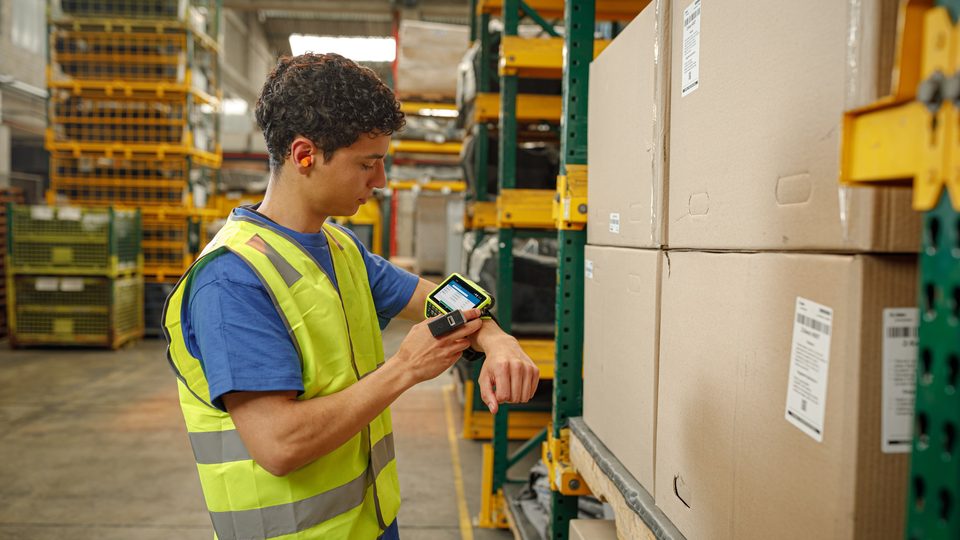
Many warehouses and stores still work with terminals running Windows CE or Windows Mobile. They work, but they can no longer be updated, parts and batteries are getting harder to find, and no new applications appear for this platform. Moving to Android, however, is not a simple device swap: it is an application change.
Why it is worth it
- Windows CE and Windows Mobile no longer receive security updates, and manufacturer support has ended
- Old equipment breaks down, and batteries and accessories become hard to find
- Android offers updates, modern management tools and new Wi-Fi
- Web and native Android applications are easier to develop and maintain
- Operators already use Android on their personal phones, so training is shorter
Three migration paths
1. Terminal emulation
The old application stays on the server (usually a system accessed through a "text" screen or a console application), and the Android terminal opens an emulation client. Operators see almost the same interface. It is the fastest and least risky path, because the processes do not change. Some manufacturers offer emulation clients with touchscreen support: Zebra, for example, states All-Touch Terminal Emulation on the TC8300 and terminal emulation on the VC8300 vehicle-mounted computer.
2. Web application
The interface is a web page, adapted for a small screen, and the scanner passes the code into the text field. It requires no installation on each device, and updates are made on the server. It needs a stable network and, usually, a rebuild of the interface.
3. Native Android application
The best experience: fast work, offline operation, access to the camera, scanner and GPS. It requires development or the purchase of a ready-made application from the WMS/ERP vendor. It suits cases where you want to change the processes, not just the devices.
What to check beforehand
1. The application: can it run on Android? Who is the vendor, who maintains it, is there a new version? 2. The processes: which operations are critical and how can they be verified after migration? 3. The infrastructure: does Wi-Fi cover all zones? Old terminals tolerate weak networks, while new ones expect good roaming. 4. The accessories: will charging cradles, mobile printers and connected (Bluetooth) scanners work with the new devices? 5. The fleet: how many devices, in which locations, who configures them? 6. The training: how long it takes operators to get used to it.
Step-by-step plan
Audit
Describe the applications, processes, devices and the network. Decide what is kept and what is changed.
Pilot
Choose one warehouse or zone. Test 2–3 models and 1–2 application options over a real working period.
Migration in waves
Replace devices zone by zone, not all at once. Keep a few old terminals as a reserve at the start.
Management
Introduce a fleet management system (MDM): bulk settings, controlled updates, restrictions.
Training and support
A short training for operators and a support contact for the first weeks.
Which models fit
To replace keypad terminals on Windows CE, Android models with a keypad are usually chosen: Zebra MC3400/MC3450, Honeywell CK62/CK67 or CN80, Datalogic Skorpio X5 or X40/X45. For users who work more with the touchscreen, smartphone-style models are suitable. The choice depends on the application, the process and the working environment.
Common risks
- The "legacy" application: the vendor has disappeared or no longer has the source code. Terminal emulation may be the only way.
- Incompatible accessories: mobile printers, Bluetooth scanners, old cradles. Check in good time.
- A weak network: old terminals were used to low speeds, while new ones expect fast roaming and good coverage.
- Insufficient training: operators pick up the touchscreen quickly, but the procedures (changing the battery, restarting) need to be explained.
- Migration all at once: if there is a problem, the whole warehouse stops. Small waves are safer.
What happens to the data and history
Migrating the application must not touch the data: stock, movement history and the item master stay in the records system. Only the operator interface changes. Still, before going live, make a backup and verify during the pilot that documents created from the new terminals are correct in the system. Keep a few old terminals in reserve for another month.
Conclusion
Migrating from Windows CE/Mobile is not just a cost: it is a chance to update your processes and infrastructure. The safest route is an audit, a pilot and a gradual migration. Describe your situation to us: we will help you choose the model and plan the setup and integration, through AutoID. See also the terminal selection guide.